
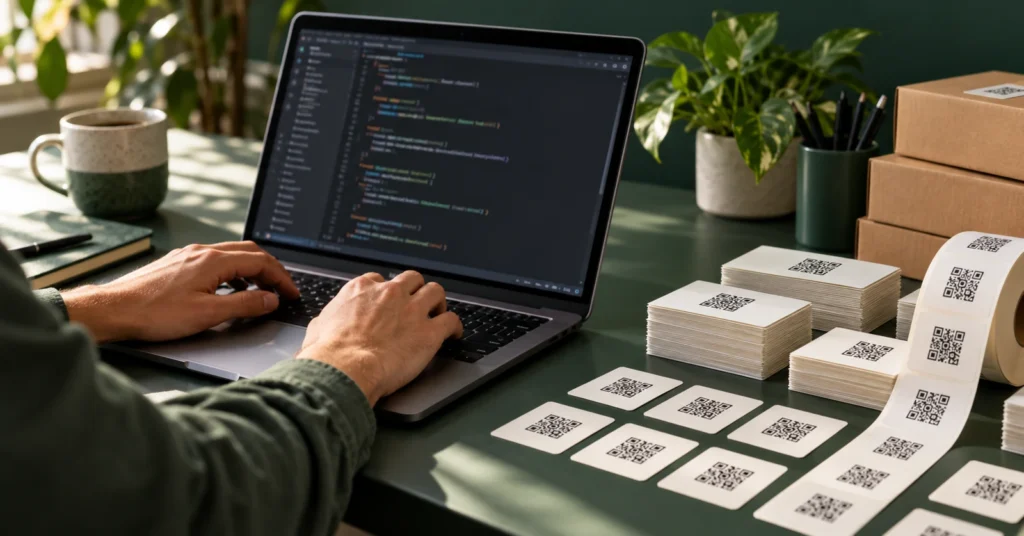
A bulk QR code API lets you create and maintain a different destination for every product, seat or asset without entering each code by hand. Some QR projects are one code on one poster. Others are one code per serial number, per seat, per parcel, per hotel room. Thousands of them, each pointing somewhere slightly different, each needing to be repointable later. That second category is not a dashboard job. It is an API job.
Here is how it works, what the endpoints are, and where the sharp edges are at volume.
Bulk QR code API: when per-unit codes are worth it
A separate code for each unit or placement gives more detailed reporting, but every code counts toward your plan’s code allowance. Plan the required volume before choosing this approach:
- Product units. Warranty registration, authenticity, reorder, with per-unit scan data that tells you when units are actually opened rather than when they shipped.
- Assets and equipment. A code per machine that opens that machine’s manual, service history, or fault report form.
- Seats and rooms. Table numbers, hotel rooms, meeting rooms, parking bays, each opening a context-aware page.
- Parcels and shipments. A tracking or returns page, per consignment.
- Attendees and members. A code per badge, per membership card.
The alternative, one shared code plus a manual step where the user tells you which unit they have, loses a large fraction of users at exactly the moment they were willing to engage.
Getting a key
The REST API is available on Pro and up. In the dashboard, open API keys and create one. The key looks like qrm_ followed by a long hex string, and it is shown once, so store it in your secret manager immediately.
Every request carries it as a bearer token:
Authorization: Bearer qrm_your_key_here
The base URL is https://qrmapper.com/api/v1.
The endpoints
Implementation note: The requests and responses below are illustrative. Confirm current paths, authentication, payloads, pagination and rate limits in the API documentation before using them in a production integration.
Four operations, all JSON.
Create a code
curl -X POST https://qrmapper.com/api/v1/qr \
  -H "Authorization: Bearer $QRMAPPER_KEY" \
  -H "Content-Type: application/json" \
  -d '{"name": "Unit SN-100482", "url": "https://example.com/register?sn=100482"}'
Responds 201 with the created code:
{
  "qr_code": {
    "id": "clx8s2v9k0001…",
    "name": "Unit SN-100482",
    "type": "URL",
    "short_code": "ab12cd",
    "short_url": "https://qrmap.cc/?q=ab12cd",
    "destination": { "url": "https://example.com/register?sn=100482" },
    "scan_count": 0,
    "created_at": "2026-08-11T09:00:00.000Z"
  }
}
List codes
curl https://qrmapper.com/api/v1/qr -H "Authorization: Bearer $QRMAPPER_KEY"
Returns { "qr_codes": [ … ] }.
Read, update, or delete one
curl -X PATCH https://qrmapper.com/api/v1/qr/ab12cd \
  -H "Authorization: Bearer $QRMAPPER_KEY" \
  -H "Content-Type: application/json" \
  -d '{"url": "https://example.com/warranty?sn=100482"}'
GET, PATCH, and DELETE all take either the code’s id or its short_code in the path. That is useful when your own system stored the short code rather than the id.
A bulk creation script
The pattern that matters at volume: map your own records to codes, persist the mapping as you go, and never assume the whole run will succeed.
import { readFileSync, appendFileSync } from 'node:fs'

const KEY = process.env.QRMAPPER_KEY
const units = JSON.parse(readFileSync('units.json', 'utf8'))

async function createCode(unit) {
  const res = await fetch('https://qrmapper.com/api/v1/qr', {
    method: 'POST',
    headers: {
      Authorization: `Bearer ${KEY}`,
      'Content-Type': 'application/json',
    },
    body: JSON.stringify({
      name: `Unit ${unit.serial}`,
      url: `https://example.com/register?sn=${unit.serial}`,
    }),
  })
  if (!res.ok) throw new Error(`${res.status} ${await res.text()}`)
  return (await res.json()).qr_code
}

for (const unit of units) {
  try {
    const qr = await createCode(unit)
    // Write the mapping immediately: a crash at unit 4,000 must not
    // orphan the first 3,999 codes with no record of what they are.
    appendFileSync('mapping.csv', `${unit.serial},${qr.short_code},${qr.short_url}\n`)
  } catch (err) {
    appendFileSync('failed.csv', `${unit.serial},${err.message}\n`)
  }
  await new Promise((r) => setTimeout(r, 100)) // stay polite
}
Three things in there are load-bearing:
Persist the mapping as you go, not at the end. The single most expensive mistake in bulk QR work is creating four thousand codes and losing track of which is which. Codes without a mapping are printed garbage.
Record failures separately and continue. A partial run you can resume beats a run that aborts at 62%.
Pace the requests according to the current API documentation. The example’s 100-millisecond delay is illustrative, not a verified rate limit; honor rate-limit responses and use retries with backoff.
Plan limits are the first wall you hit
Code count is capped per plan. Check the current API reference for limit responses and handle unsuccessful requests explicitly:
| Plan | Codes | Analytics history |
|---|---|---|
| Free | 5 | 7 days |
| Pro | 20 | 30 days |
| Business | 100 | 90 days |
| Enterprise | 500 | 365 days |
The API itself starts at Pro. If your project genuinely needs thousands of codes, that is an Enterprise conversation rather than a scripting problem. Talk to us before you write the loop.
Getting the images
The API returns the short_url for each code, not an image. For print you generate the artwork from that URL. Any QR library will do it, and generating locally is the right answer at volume anyway because you control the size, the error correction level, and the vector output your printer needs.
Two rules for bulk print: export vector, not raster, and test-scan a sample from the middle of the run, not just the first one. Print-Ready QR Codes: Size, Contrast, and Placement Rules has the sizing numbers, and How Much Can You Brand a QR Code Before It Stops Scanning covers how far styling can go before the scanner loses.
Repointing in bulk
The reason to do this through an API rather than a spreadsheet of static codes shows up a year later, when the registration flow moves.
const { qr_codes } = await (await fetch('https://qrmapper.com/api/v1/qr', {
  headers: { Authorization: `Bearer ${KEY}` },
})).json()

for (const qr of qr_codes) {
  const serial = qr.name.replace('Unit ', '')
  await fetch(`https://qrmapper.com/api/v1/qr/${qr.short_code}`, {
    method: 'PATCH',
    headers: { Authorization: `Bearer ${KEY}`, 'Content-Type': 'application/json' },
    body: JSON.stringify({ url: `https://example.com/v2/warranty?sn=${serial}` }),
  })
}
Four thousand printed labels, repointed in a few minutes, with no reprint. That is the whole argument for dynamic codes, scaled. The Reprint Problem: Fixing a Printed QR Code Without Reprinting makes the same case for a single code.
Practical cautions
- Keep the key server-side. It creates, edits, and deletes codes. Never ship it to a browser or a mobile app.
- Make your job resumable. Check whether a serial already has a code before creating another; duplicates at volume are painful to unpick.
- Name codes so a human can search them.
Unit SN-100482beatsqr-4127. - Reconcile after the run. List all codes and diff against your mapping file before anything goes to print.
- Rotate the key when someone with access leaves.
The API reference lives under API docs in the dashboard, alongside your keys. Pro costs $9 a month (or $6 a month billed annually) with a 14-day trial, and a free account is enough to explore the dashboard before you commit. The API itself begins at Pro.
Bulk QR work is a data problem wearing a printing problem’s clothes. Get the mapping right, keep the destinations editable, and four thousand labels stay correct for as long as you need them to.